Showing posts with label python. Show all posts

2023-11-11

prSelectionUi 2023.0 update with Python 3.0 support


A few months ago I released an update (2023.0) for prSelectionUi that supports Python 3 (Maya >2022.x). It also still works with older Maya versions (Python 2.0).

You can get it here: https://pazrot.gumroad.com/l/prselectionui

It still requires PyMEL to be installed, which sadly has become more difficult with the PyMEL installation switching to pip. I think that installation change was a bad call and I regret using PyMEL. The time I saved was not worth the time lost for the users, and I might now have to rewrite the script with maya.cmds anyways.

2020-07-18

prPanelCtx - making of


Source

Description
This script allows the user to have temporary panel settings during manipulator dragging and timeline changes (dragging, playback). The idea was to hide control shapes during this time, to allow animators to evaluate the deformation.
When using this script together with Mayas controller autohide on proximity, it can get pretty close to "Pixar style controls"

Related
The purpose is similar to "Pixar style controls". I'm not aware of a publicly available version of them. I have only seen around a dozen videos of prototypes from independent users.

Origin
I randomly stumbled upon the -preDragCommand and -postDragCommand flags of the manip*Context commands (manipMoveContex, ...). Before that I was not aware that the user can access these events. So when I saw them I thought they can be used for the purpose of this script.

Evolution
At first I thought about setting an attribute in the rig (global control visibility switch). But then I realized that it makes more sense to use it like a Maya setting and change the panel settings ("Panel > Show > .."), because:
  • It works for any rig and does not introduce any per asset requirements (visibility attribute has to exist and has to be hard coded in the script)
  • It can hide shot objects that are not part of the rig, like locators used for constraint setups
  • It makes the animator completely independent and gives them full control over what to hide
  • Can be used to hide the manipulator itself and other panel settings (wireFrameOnShaded, ...)
After that was done I added the timeline dragging / playback context. This is partially already possible in Maya:
- Custom Playblast settings "panel > show"
- Display layer playback setting

Comparison
Compared to "Pixar style controls" it is not as intuitive, but there are some advantages:
- It has less complexity than writing a Locator plugin that works in all Maya Viewports (legacy, 2.0) and on different OSs.
- It does not introduce dependency. The animator does not rely on an RnD department to develop the plugin and a rigging department to create these custom controls for each asset.
- It does not slow down the rig. In my limited speed testing it actually did speed up all the rigs a little bit.

Limitations
I could not find a way to access camera and channelBox dragging.
I could not find a way to make it work with component selection for modeling. Because the command flags I'm using require there to be a specific node type in the selection.

Personal usage
I don't think its that useful when rigging. I usually auto-hide the manipulators and only sometimes do I hide the controls in the timeline context when I'm working on the deformation. 

2019-12-31

prKeepOut.py making-of

A custom Maya node that can be found here:
https://github.com/parzival-roethlein/prmaya

A few months ago I started making improved array versions of Maya nodes for smaller, scalable, procedural graphs.
The prKeepOut node specifically had some relevance for production: I had an asset with around a hundred armor pieces and I thought about using keepOut nodes, but ended up deciding against them because it would have been overkill: Each armor piece would have required multiple keepOut nodes, which would have slowed down the rig a lot, take a long time to setup and probably never really work that well, because of multiple armor pieces overlapping in areas with multiple deformation axes. In the end I copied the skinCluster and blendShapes from the body and tweaked them to make the armor deform more rigid and add some offset controls for a few of the armor pieces.

It took me a few evenings after work to write prKeepOut, so in hindsight I wondered why I hadn't done it sooner. The "algorithm" is less than 100 lines and the rest is just the verbose Maya API way of creating/querying/setting attributes.
I thought about writing more about the making-of and reasoning. But it's open source and just basic Maya API, linear algebra usage. And I imagine the changes make sense to anyone who has used the 10 year old Maya keepOut node.
Initially I had shape inputs specific for each ray to support multi layer collision, but removed it again, because it would make the node usage too complex and risk evaluation cycles.
With the recent input matrix announcement for transforms in Maya 2020+ I'm thinking about switching to matrix outputs.

A few weeks later Autodesk announced bifrost graph, which looks amazing and will hopefully make these kind of custom nodes obsolete.


2018-10-11

Maya API ramp attribute bug?

1. When saving:

2. What gets stored in the ascii file: 
setAttr -s 2 ".falloff[1]"  1 1 1;

3. After opening the scene again:

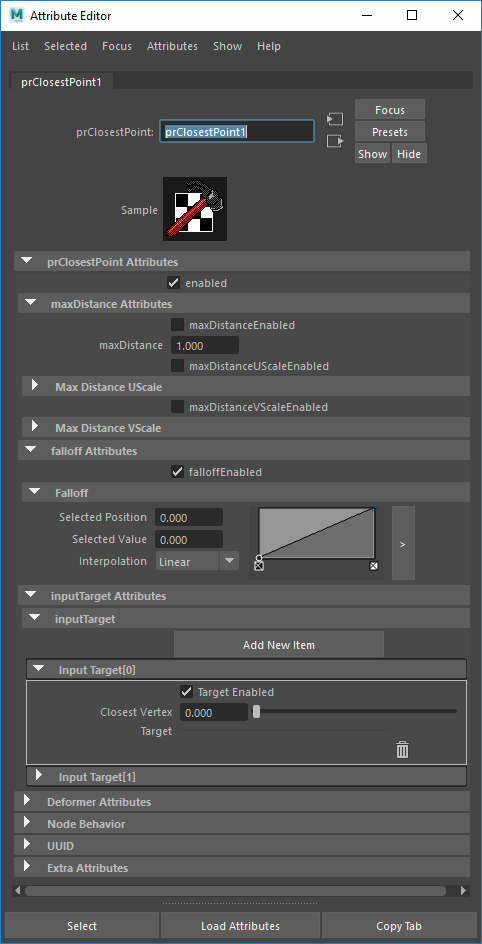
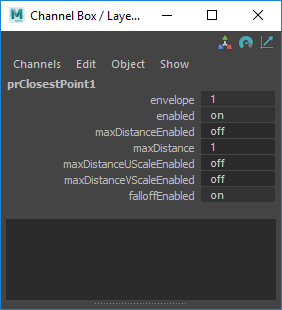
I recently noticed in Maya 2018 that custom Python API 1.0 node ramp attribute elements with position/value/interpolation : 0.0/0.0/linear do not get saved with the Maya scene (if their index is the lowest). I guess this is a bug. Some debug infos I gathered:
  • Probably bug source: By default Maya does not save attribute default values
  • Does not happen with default Maya nodes like remapValue
  • MPxNode.shouldSave documentation explains why this should not happen (but it is not true): "This method is not called for ramp attributes since they should always be written."
  • Since shouldSave gets wrongfully called it has to be overwritten to fix the problem
  • Only returning 'unknown' will not save the attribute. OpenMayaMPx.MPxNode.shouldSave(...) does exactly that.
  • The Python devkit example of shouldSave pyApiMeshShape.py is a bit misleading: From what I have tested all these return values seem to force save: True, False, None 

Implementations of this workaround can be found in prClosestPoint:
https://github.com/parzival-roethlein/prmaya

Update 2020-03-31:
Another situation with the same problem was with a float array attribute in Python API 2.0. The fix is in my /plugins/prUpCurveSpline.py
https://github.com/parzival-roethlein/prmaya

2018-10-09

prPyMath.py making-of

A custom Maya node that can be found here:
https://github.com/parzival-roethlein/prmaya
Direct file link:
https://github.com/parzival-roethlein/prmaya/blob/master/prmaya/plugins/prPyMath.py

Origin
I wanted to create a node for some trigonometry functions, so I don't have to pollute the node graph with expressions. But after noticing that the functions I needed are all part of the Python math module I decided to just wrap the whole module, to make the node more useful.
There are only a few repeating argument in the whole module and all functions return one or two numbers. Which means there are also few Maya attributes needed to cover all cases.

Usability
A math node with that many operations is not typical for Maya.
When comparing such general purpose math nodes it might be better to just use a Python expression node like this one: http://around-the-corner.typepad.com/adn/2012/08/a-mathematical-dg-node.html

Code
It was the first time I used the Maya Python API 2.0 for an MPxNode. But in this simple case it did not make a big difference. For the Attribute Editor buttons "Create element", "Delete element" I had to look into querying the node in the Attribute Editor context for the first time. Currently it is a workaround with a hidden textfield. I guess a global MEL variable might be the proper way to handle that?!


prClosestPoint.py making-of

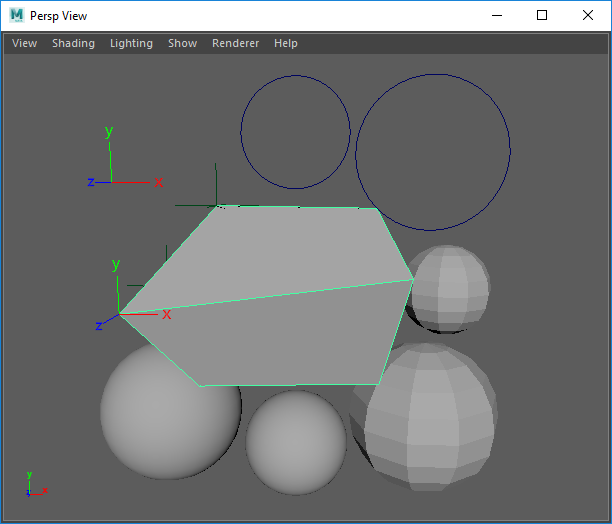
A "new" Maya deformer that can be found here:
Direct file link:

Origin
Initially I just wanted to update my old prAttractNode from 2011 to work in Maya 2016+, for which I only had to update the envelope, inputGeom, outputGeom attributes (MPxGeometryFilter instead of MPxDeformerNode). But then I also added new attributes and changed the existing ones to make it more user-friendly, scalable, functional:
  • Added positions as target option 
  • Set all target type attributes to arrays 
  • Made all targets work simultaneously
  • Added on/off switch attributes
So almost every attribute changed and was not backwards compatible. Which is why I ended up giving the node a new name, that is also more suitable for the algorithm.

Usability
In production I mostly used prAttractNode when modeling. For sticky lips only once or twice. But that might be because of the kind of stylized projects I usually work on. It could be much more useful for visual programming, but many nodes are still missing for that in Maya. Python is also too slow for that, unless the affected vertex count is small enough. 

Code
I would have liked to switch to the Python API 2.0, but the deformer proxy class has not been ported yet.
For the mesh input I switched from MMeshIntersector to MFnMesh, which is slower. I was having issues getting the matrix for MMeshIntersector to work. I used it in the past (see prAttractNode) so it might be a new bug, or I just made a mistake. On the upside it is more user friendly to not require the matrix input for mesh shapes.

Thoughts
The past ~5 years I haven't written any deformers with the Maya API. I mostly used it in Python scripts to improve performance and to use API exclusive features.
I find it strange that basic classes like MPxDeformerNode are still missing in the Maya Python API 2.0 after having tried it for the first time in early 2013.
A visual programming / procedural node option like Softimage ICE, Fabric Engine, Houdini would be a much better fit for most of my deformer needs. I was anticipating something similar for Maya in 2011, but after so many years and seeing what happend with Softimage and Fabric I have no idea if / when it will ever happen.
The verbose low level nature of C++ Maya deformers only seemed to have increased with the new MPxGPUDeformer class. I haven't really looked into it yet, but the devkit example MPxoffsetNode.cpp has ~600 lines of code for a simple one line vector offset algorithm. That seems quite far away from production problem solving and applied math that I would like to focus on when creating a deformer.


New github account

I recently started putting repositories on github:
https://github.com/parzival-roethlein
The link is also in the sidebar

Purpose
  • One central spot for all my public tools. Easier access, support (opposed to creativecrash / highend3d where I used to upload them)
  • Code samples when applying for jobs
  • Get feedback from / collaborate with community

2017-03-03