Showing posts with label making-of. Show all posts

2023-07-21

2019 - Scoob! rigging reel

(Update 2025-03: I deleted the original video, because of vimeo policy changes. But the same shots are at the start of this: https://vimeo.com/pazrot/2020. The timestamps mentioned here are off by a few seconds)
  • Content from 2019, for the animated feature film "Scoob!". It was my first show after moving to Canada and starting as Senior Rigging Artist at Reel FX.
  • Was done for my 2020-2021 demo reel that got me to Vancouver / VFX
  • I used a blinn/highlight shader to be more honest and show the surface curvature. With lambert/flat shaders you can get away with a lot more. Even wireframe is pretty forgiving. 
  • Velma body rig (0:01 - 0:32):
    • I could not actually find good body deformation shots in the movie, because she does not move much in general and wears a thick sweater. 
    • 0:08 Deformation issue when metacarpals are offset. This area was always a struggle, because of the topology. It was the standard hand topology at the time and not supposed to be changed. That's why I didn't show the hands in the breakdown.
    • 0:11 clavicle up chest corrective blending issue. It stops suddenly, when it should fade out or extend instead.
  • Cpt. Caveman face rig (0:32 - 0:59)
    • His face has a high range of motion with close ups in the movie, so I was happy with the shots that I could select for this demo.
    • 0:48 Eyelid, mouth corner topology distortions: I did major retopology, maybe full retopology for his face, but afterwards there was a design change, which created these topology distortions in this somewhat neutral pose (The design/model change was great though)
    • 0:57 shape and blend issues between eyebrows.

2019-12-31

prKeepOut.py making-of

A custom Maya node that can be found here:
https://github.com/parzival-roethlein/prmaya

A few months ago I started making improved array versions of Maya nodes for smaller, scalable, procedural graphs.
The prKeepOut node specifically had some relevance for production: I had an asset with around a hundred armor pieces and I thought about using keepOut nodes, but ended up deciding against them because it would have been overkill: Each armor piece would have required multiple keepOut nodes, which would have slowed down the rig a lot, take a long time to setup and probably never really work that well, because of multiple armor pieces overlapping in areas with multiple deformation axes. In the end I copied the skinCluster and blendShapes from the body and tweaked them to make the armor deform more rigid and add some offset controls for a few of the armor pieces.

It took me a few evenings after work to write prKeepOut, so in hindsight I wondered why I hadn't done it sooner. The "algorithm" is less than 100 lines and the rest is just the verbose Maya API way of creating/querying/setting attributes.
I thought about writing more about the making-of and reasoning. But it's open source and just basic Maya API, linear algebra usage. And I imagine the changes make sense to anyone who has used the 10 year old Maya keepOut node.
Initially I had shape inputs specific for each ray to support multi layer collision, but removed it again, because it would make the node usage too complex and risk evaluation cycles.
With the recent input matrix announcement for transforms in Maya 2020+ I'm thinking about switching to matrix outputs.

A few weeks later Autodesk announced bifrost graph, which looks amazing and will hopefully make these kind of custom nodes obsolete.


2018-10-09

prPyMath.py making-of

A custom Maya node that can be found here:
https://github.com/parzival-roethlein/prmaya
Direct file link:
https://github.com/parzival-roethlein/prmaya/blob/master/prmaya/plugins/prPyMath.py

Origin
I wanted to create a node for some trigonometry functions, so I don't have to pollute the node graph with expressions. But after noticing that the functions I needed are all part of the Python math module I decided to just wrap the whole module, to make the node more useful.
There are only a few repeating argument in the whole module and all functions return one or two numbers. Which means there are also few Maya attributes needed to cover all cases.

Usability
A math node with that many operations is not typical for Maya.
When comparing such general purpose math nodes it might be better to just use a Python expression node like this one: http://around-the-corner.typepad.com/adn/2012/08/a-mathematical-dg-node.html

Code
It was the first time I used the Maya Python API 2.0 for an MPxNode. But in this simple case it did not make a big difference. For the Attribute Editor buttons "Create element", "Delete element" I had to look into querying the node in the Attribute Editor context for the first time. Currently it is a workaround with a hidden textfield. I guess a global MEL variable might be the proper way to handle that?!


prClosestPoint.py making-of

A "new" Maya deformer that can be found here:
Direct file link:

Origin
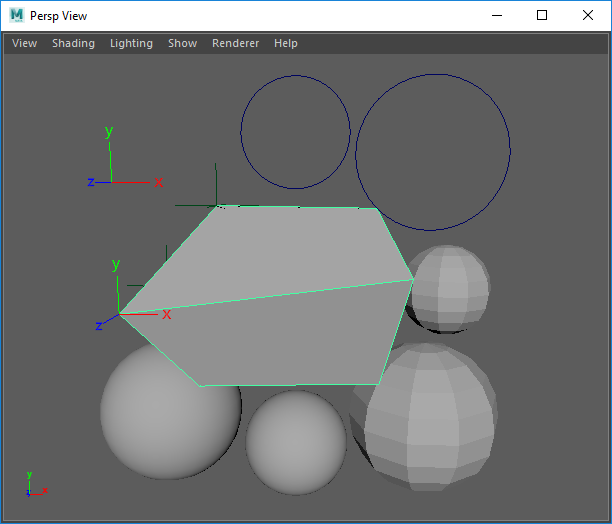
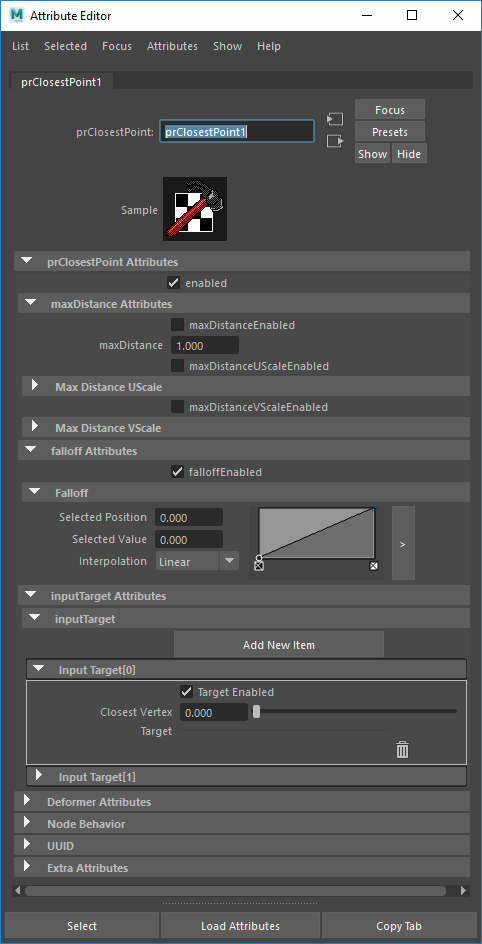
Initially I just wanted to update my old prAttractNode from 2011 to work in Maya 2016+, for which I only had to update the envelope, inputGeom, outputGeom attributes (MPxGeometryFilter instead of MPxDeformerNode). But then I also added new attributes and changed the existing ones to make it more user-friendly, scalable, functional:
  • Added positions as target option 
  • Set all target type attributes to arrays 
  • Made all targets work simultaneously
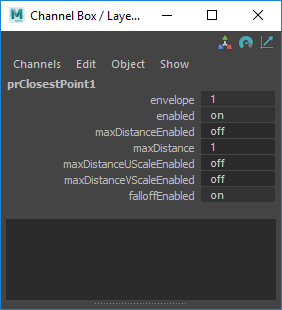
  • Added on/off switch attributes
So almost every attribute changed and was not backwards compatible. Which is why I ended up giving the node a new name, that is also more suitable for the algorithm.

Usability
In production I mostly used prAttractNode when modeling. For sticky lips only once or twice. But that might be because of the kind of stylized projects I usually work on. It could be much more useful for visual programming, but many nodes are still missing for that in Maya. Python is also too slow for that, unless the affected vertex count is small enough. 

Code
I would have liked to switch to the Python API 2.0, but the deformer proxy class has not been ported yet.
For the mesh input I switched from MMeshIntersector to MFnMesh, which is slower. I was having issues getting the matrix for MMeshIntersector to work. I used it in the past (see prAttractNode) so it might be a new bug, or I just made a mistake. On the upside it is more user friendly to not require the matrix input for mesh shapes.

Thoughts
The past ~5 years I haven't written any deformers with the Maya API. I mostly used it in Python scripts to improve performance and to use API exclusive features.
I find it strange that basic classes like MPxDeformerNode are still missing in the Maya Python API 2.0 after having tried it for the first time in early 2013.
A visual programming / procedural node option like Softimage ICE, Fabric Engine, Houdini would be a much better fit for most of my deformer needs. I was anticipating something similar for Maya in 2011, but after so many years and seeing what happend with Softimage and Fabric I have no idea if / when it will ever happen.
The verbose low level nature of C++ Maya deformers only seemed to have increased with the new MPxGPUDeformer class. I haven't really looked into it yet, but the devkit example MPxoffsetNode.cpp has ~600 lines of code for a simple one line vector offset algorithm. That seems quite far away from production problem solving and applied math that I would like to focus on when creating a deformer.